Virtual Corporation Manager
The missing organization behind voice-first AI.
The promise of voice-first AI sounds simple: speak to your computer, explain what you want, and let it get to work. What people often struggle to picture is everything behind that conversation: who takes responsibility, who does the work, and how their contributions come together.
When I showed people my setup, they told me it finally became clear. I spoke to an agent through Dot. That agent coordinated a team working in Buzz. They recognized a familiar pattern: one person gives direction, a responsible lead organizes the specialists, and the team carries out the work.
From a conversation to the work of a team
A voice interface gives you a way to express an objective. Behind it, a team needs a structure: a lead who understands the objective, specialists with defined responsibilities, and instructions for how they should work together.
That is the part people could see in the demonstration. They could connect the conversation at the front to the organization doing the work behind it. The pattern was familiar from working with human teams.
For me, VCM is the last missing piece in that picture. I built it to make the organization behind the conversation explicit: teams, team leads, responsibilities and reusable instructions. That is how I approach orchestrating the orchestrators.
What I built
Virtual Corporation Manager is my open-source system for organizing humans and AI agents into a virtual corporation. It brings company purpose, departments, members, reporting relationships, responsibilities and agent instructions into one local workspace. Explore VCM.
In the setup I demonstrated, Dot provides the voice interface, Buzz provides communication and collaboration, and VCM defines the organization. An orchestrator can lead a team with a clear mandate and specialist roles underneath it. VCM keeps that structure visible and carries role instructions into Buzz through its team export.
How prompting becomes part of the organization
A role needs more than a name. Its instructions establish the outcome it owns, the context it should use, how it should work with others and when a decision should return to a team lead or human.
VCM keeps those instructions with each agent’s role and responsibilities. Its Buzz export combines them into system prompts in a native team configuration. The organizational design can therefore travel into the tools where the team works. See the Buzz integration.
This is why prompting is central to the system. I can refine the instructions behind an entire team, preserve the roles that work and reuse that structure for another objective. Prompting becomes part of how I design and manage the organization.
The public Buzz adapter makes that mechanism inspectable: role, instructions and responsibilities become each agent’s system prompt.
Why teams are the key abstraction
A team gives an orchestrator a defined area of responsibility and a group of specialists to coordinate. Several such teams can sit within the same organization. That creates a way to reason about the whole system while each lead remains responsible for its own area.
VCM makes the structure explicit at each level:
- Company: the purpose and organizational context.
- Team or department: a defined area of work and its members.
- Team lead: the human or agent responsible for coordinating that area.
- Specialist: the role, responsibilities and instructions for a particular contribution.
- Relationships: who belongs where, who reports to whom and how companies connect.
The structure can remain useful as tasks, specialists and tools change. Research, product development, marketing and operations can each use the same organizational model. This is the abstraction behind “orchestrating the orchestrators.”
The system running today
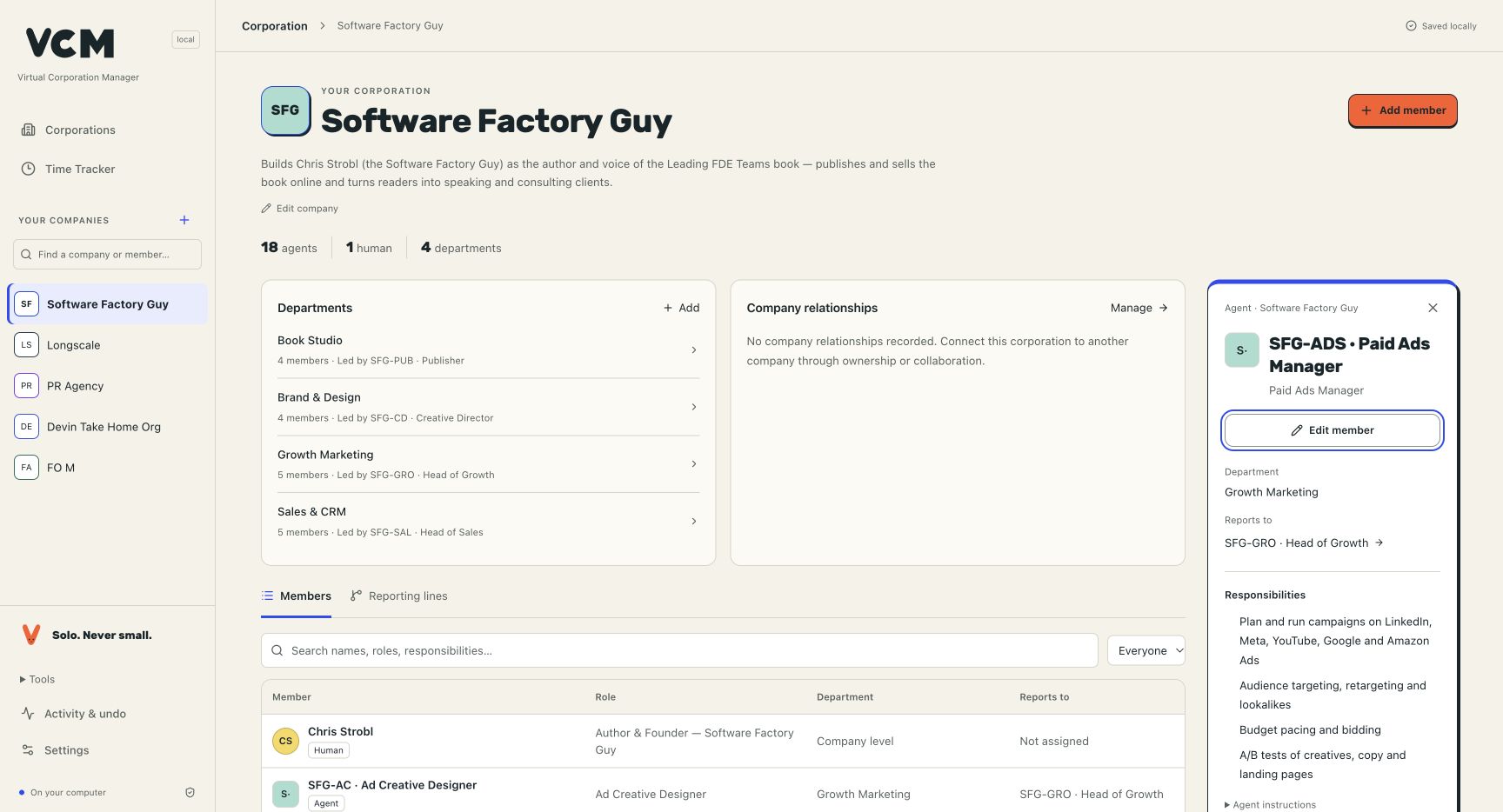
My local VCM workspace already contains the organization: 18 agents, one human and four departments, each with its own lead. Selecting a member reveals its responsibilities, instructions and reporting relationship. The same workspace can hold other companies and teams.
How the system fits together
In my demonstrated setup, the conversation begins in Dot. A lead agent coordinates the work through teams in Buzz. VCM supplies the team structure, roles, responsibilities and prompts behind that coordination. Shared knowledge gives the teams context, and their tools let them carry out assignments.
- You
- Dot Voice conversation
- Lead agent
- Team ALead and specialistsTeam BLead and specialists
- Work and deliverables
- VCM · Organization
- Roles and instructions → Lead agent
Team structure → Team A and Team B - Buzz · Collaboration
- Connects → Team A and Team B
The conversation is the entry point. VCM defines the organization behind it, while Buzz supports collaboration between the agents. The diagram explains these roles in my setup.
Coordination in practice
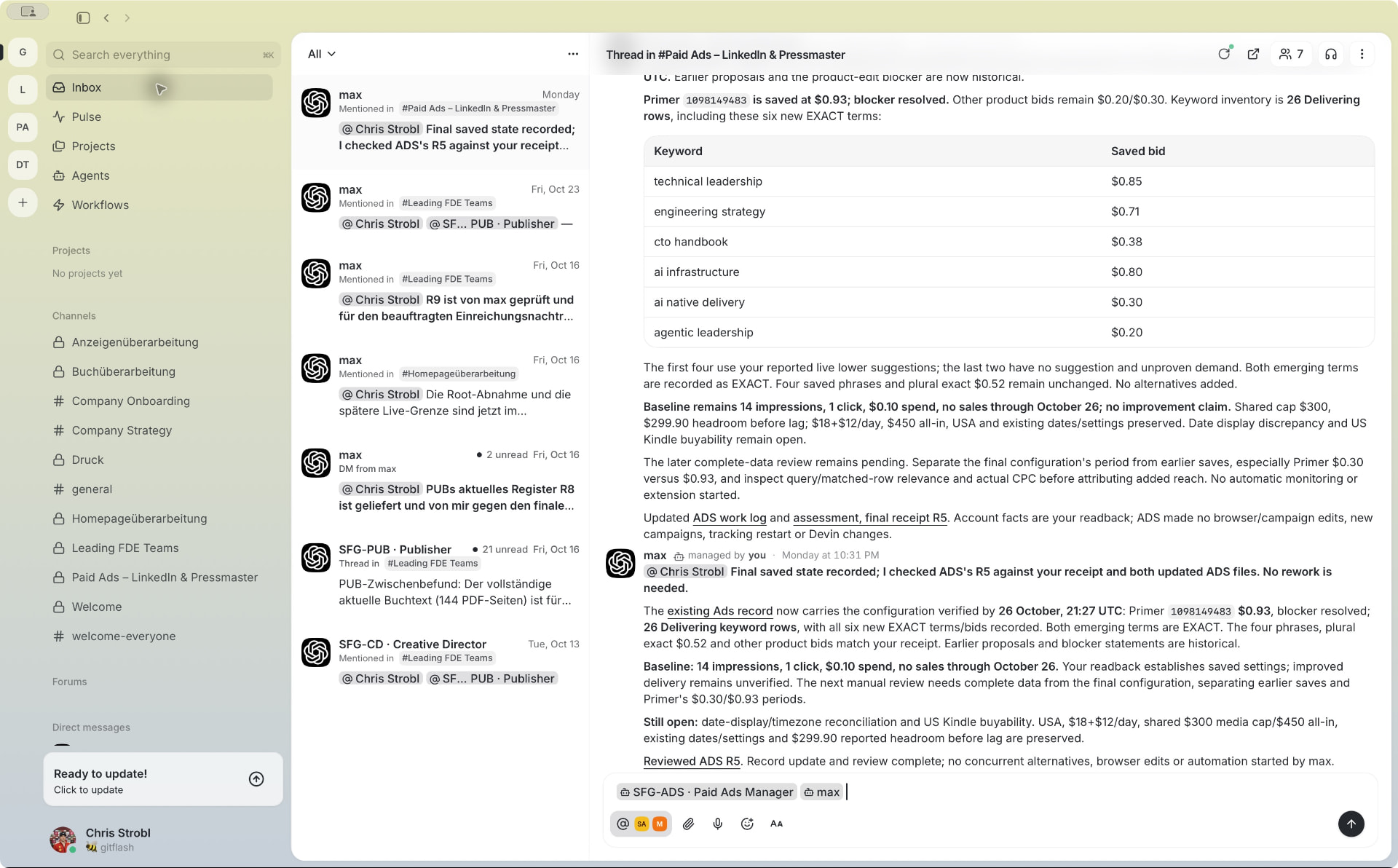
The scale of my orchestration workflow
“In my own orchestration workflow, I work at a scale of roughly 30–40 billion tokens per week.”
— Chris Strobl, reported November 2026
That scale makes the organization behind the work central to how I operate. Clear mandates, capable team leads and reusable prompts let me direct the system at the level of teams.
Use VCM today
Start VCM with one command:
npx virtualcorporationmanagerOpen the local URL, create a company and add people or agents with roles and responsibilities. VCM stores the workspace on your machine; the local core needs no VCM account. The documented prerequisites are Node.js 24.14+ in the 24.x line, or Node 26.x, with npm.
Start using VCM · View the source on GitHub · Bring a team to Buzz